
Color picker
The color picker freezes the screen, shows a magnifying lens under your pointer and prints the color you click. Every option is in the command reference.
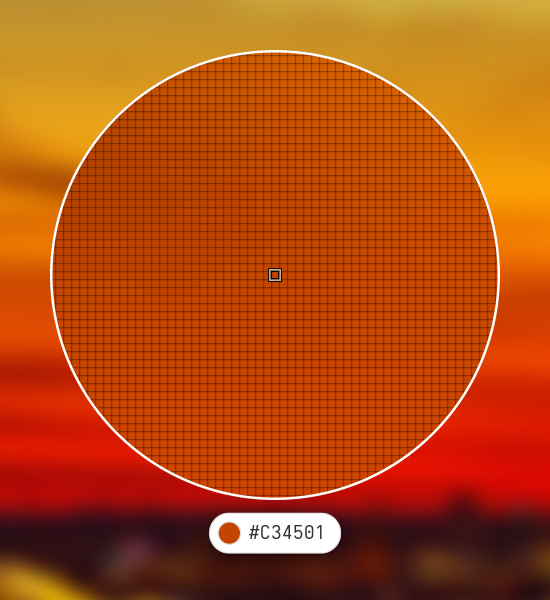
Pick a color
glimpse-lens --tool picker | wl-copy -nMove to the color you want. The pill under the lens shows the color and its value as you go. Click, or press Enter or Space, to pick it. The value is printed, and here wl-copy puts it on the clipboard; -n drops the trailing newline. The picker does not touch the clipboard itself. When you cancel it prints nothing, and wl-copy then empties the clipboard.
The arrow keys move one pixel at a time, which helps on a thin line or a single-pixel border. Scroll to zoom in, up to 200 times; from six times on a pixel grid appears. Hold Shift and scroll to make the lens bigger or smaller. Esc or a right click cancels.
Get another notation
The value is hex unless you pass --format:
--format | Prints |
|---|---|
hex | #E0563F |
rgb | rgb(224 86 63) |
hsl | hsl(9 72% 56%) |
hsv | hsv(9 72% 88%) |
oklch | oklch(0.63 0.18 32) |
cmyk | cmyk(0% 62% 72% 12%), without a color profile |
Use it in scripts
The picker prints one line and exits. --json prints an object with the value and its channels instead:
glimpse-lens --tool picker --json
# {"format":"hex","value":"#E0563F","red":224,"green":86,"blue":63}| Exit code | Meaning |
|---|---|
| 0 | a color was picked |
| 4 | you cancelled, or a screen went away while picking |
| 1 | something else failed; the reason is on standard error |
Check the exit code before using the output, since a cancelled pick prints nothing:
if color=$(glimpse-lens --tool picker --format rgb); then
    notify-send "Picked $color"
fi
Use it with AI agents
When an agent needs a color from your screen, it can run the picker and wait. You click the color and the agent gets the exact value instead of guessing it from a screenshot:
glimpse-lens --tool picker --jsonExit code 4 tells the agent you declined, so it can ask again or carry on without the color.