
Ruler
The ruler freezes the screen and measures distances between the points you click, in pixels. Every option is in the command reference.
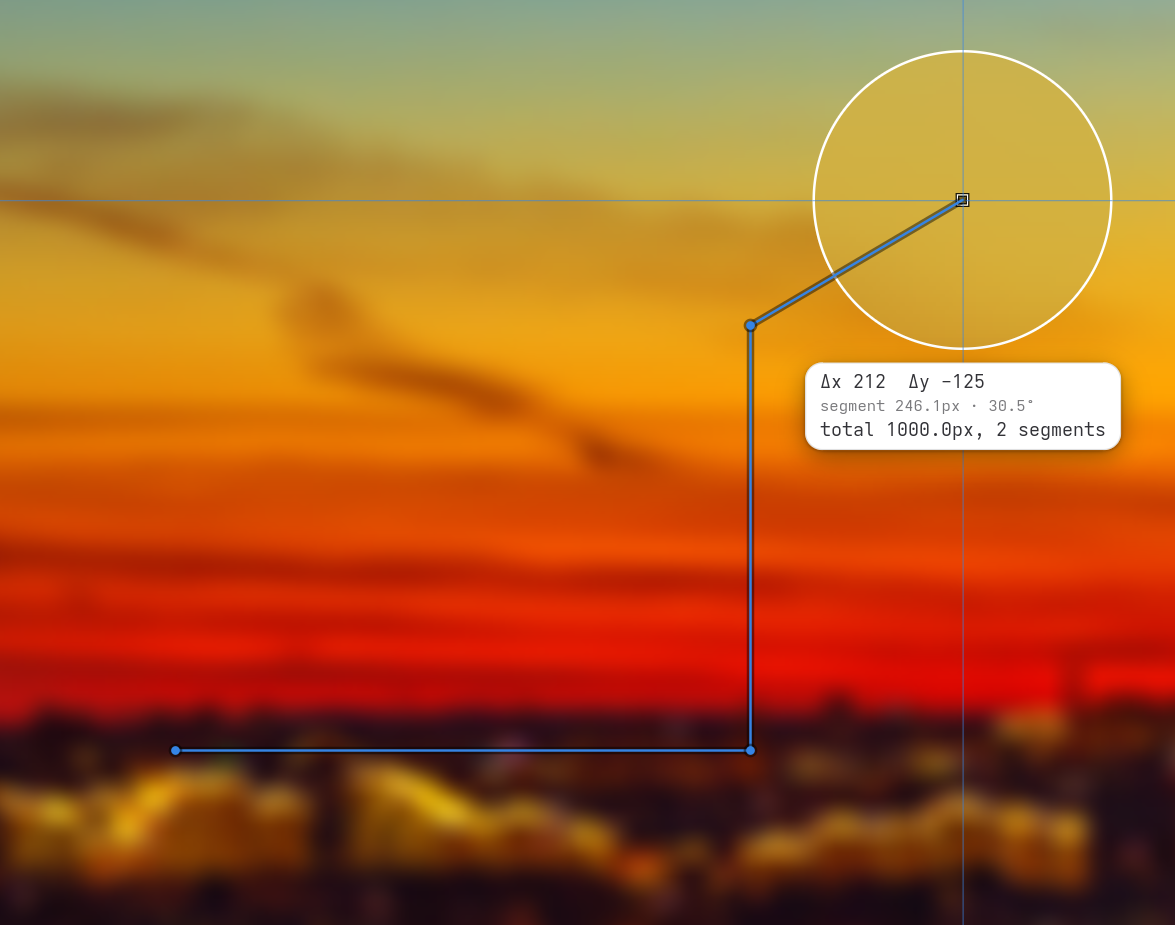
Measure a distance
glimpse-lens --tool rulerClick where the measurement starts, then click where it ends. The pill under the lens shows the horizontal and vertical offset, the length and angle of the segment, and the total so far. Enter or Space places a point too, and the arrow keys move one pixel at a time, so you can land exactly on an edge.
Hold Shift to keep the line straight across or straight up and down. Scroll to zoom in on the point you are placing, and hold Shift while scrolling to resize the lens.
Trace a path
After the first point, every click measures one segment and starts the next one from the same point, so you can follow an outline or add up several gaps. A right click clears the path and starts over. Esc finishes.
A path stays on one screen. Moving to another screen drops the point you were about to place rather than drawing a line across both.
Distances are in the screen's own pixels. With display scaling at 2, a gap that looks 100 pixels wide measures 200.
Use it in scripts
When you finish, the ruler prints one line of JSON per segment, in the order you measured them:
{ "angle": 0.0, "distance": 340.0, "dx": 340, "dy": 0, "from_x": 620, "from_y": 420, "to_x": 960, "to_y": 420 }distance is the length, dx and dy the offsets, angle the slope from horizontal in degrees (0 to 90), and the from_ and to_ fields the end points. To get the total length of a path:
glimpse-lens --tool ruler | jq -s 'map(.distance) | add'The exit code is 0 when at least one segment was measured, 4 when nothing was (you pressed Esc straight away, or a screen went away), and 1 for any other failure.
Use it with AI agents
An agent checking a layout can ask you to measure it. It runs the ruler, you click across the gap or the element in question, and the agent gets exact pixel numbers to compare with the design:
glimpse-lens --tool rulerEach line is one measurement, so an agent can ask for several in one go, for example "measure the left margin, then the right one".