
Tool applets
The clipboard applet keeps a history of what you copied. Its service table applies everywhere; the applet table applies to that applet only.
clipboard
[applets.clipboard]Clipboard history.
Text beside your icon, with {count} for the number of entries in your history.
How many characters of each clipboard entry you see in its preview, from 8 to 128.
Keep the chip visible when your history is empty.
What the bar's tooltip reads. {count} is the number of entries held. Unset shows no tooltip.
How many recent entries the popover shows. Pinned entries don't count.
Screenshot
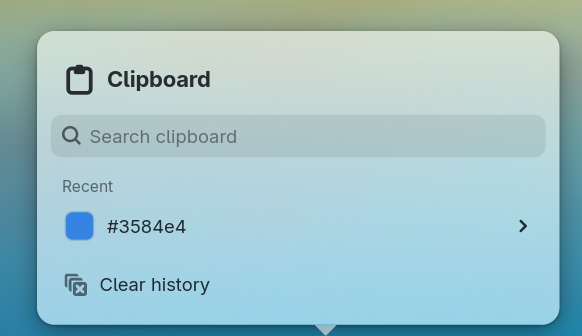
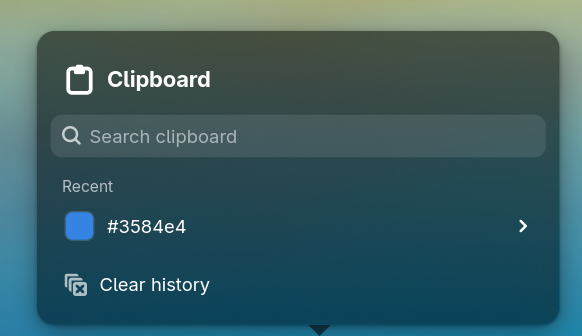
Click the chip to open the popover. Clicking an entry copies it. Each entry also has Pin and Forget.
Clear history keeps pins. Turning enabled off clears everything, pins included.
[clipboard]Keep your copied text and PNG or JPEG images in memory until the panel restarts. Content marked secret by a password manager is skipped; copying an existing entry moves it to the top.
Keep copied images in your clipboard history alongside text.
Keep a history of what you copy. Turning this off clears your history, including pinned entries.
How many recent clipboard entries you keep. Pinned entries don't count.
The largest clipboard entry you keep, in kibibytes, from 4 to 2048.
How much memory your clipboard history can use, in kibibytes. When it fills up, the oldest unpinned entries are dropped.
For scripts, glimpsectl clipboard list --json lists the entries. Entry IDs change when the panel restarts. See the clipboard commands for the rest.